
PT Portrait 6
Top tips for best results
Move facial outlines to the right position.
After you open an image, if a face has been automatically detected, the outlines will have been automatically placed around the face. The outlines should follow the edges of the features, and the edge of the face. If any are wrongly positioned, move them into the correct place by dragging the small squares.
All the detected faces are listed in the left panel. If there is more than one face in the image, you can select each face from the list and check the outlines for it.
If the face in your image was not detected automatically, you will need to locate it manually.
Tip: How to locate a face in step "Fitting"
Make sure the skin area is correct.
PT Portrait automatically works out which areas in your picture are skin. However, the automatic area selected can sometimes be adjusted to improve the results.
Tip: Adjust skin mask to get the best portrait retouching result
Use sliders and blemish removal tool properly.
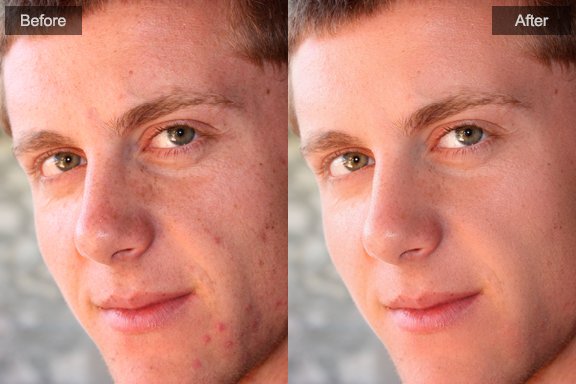
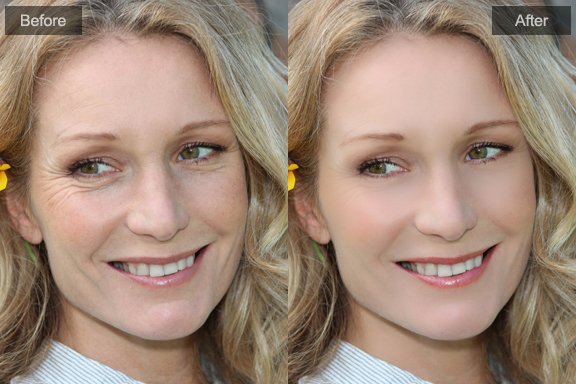
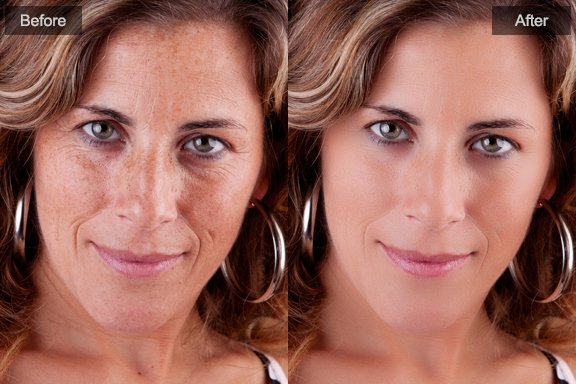
Push the sliders up just far enough to get the results you want.
If you go too far, especially for men portraits, the results may look unnatural.
You can use blemish removal tool to heal the spots without affecting the whole skin area.
Tip: How to heal different skin problems
Photoshop&Lightroom are trademarks of Adobe Systems Inc.