
Adjust Skin Tone
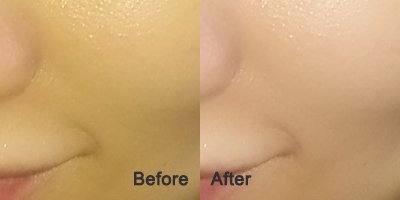
 The skin tone sliders are used to change skin color, fine-tune skin lighting, and adjust skin brightness and contrast.
Hue – Changes the skin color from red (negative) to yellow (positive).
Saturation - Changes the skin color from pale (negative) to ruddy (positive).
Brightness/Contrast – Controls the skin brightness and increases or decreases the skin contrast.
Shadow - The Shadow slider is used to lighten or darken the shadow part of the skin area.
Highlight - The Highlight slider is used to lighten or darken the highlight part of the skin area.
When "Use Skin Mask" is unselected, all adjustments will be applied to the entire image.
Note: Double click a slider to reset it.
Copyright©Chengzhu Li, 2009-2026. All rights reserved.
Photoshop&Lightroom are trademarks of Adobe Systems Inc.
Photoshop&Lightroom are trademarks of Adobe Systems Inc.