
Free Photo Blemish Remover
 Download |
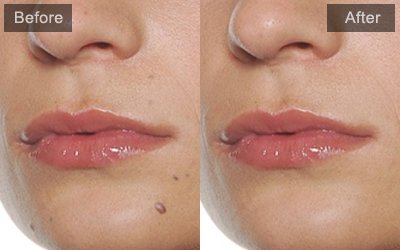
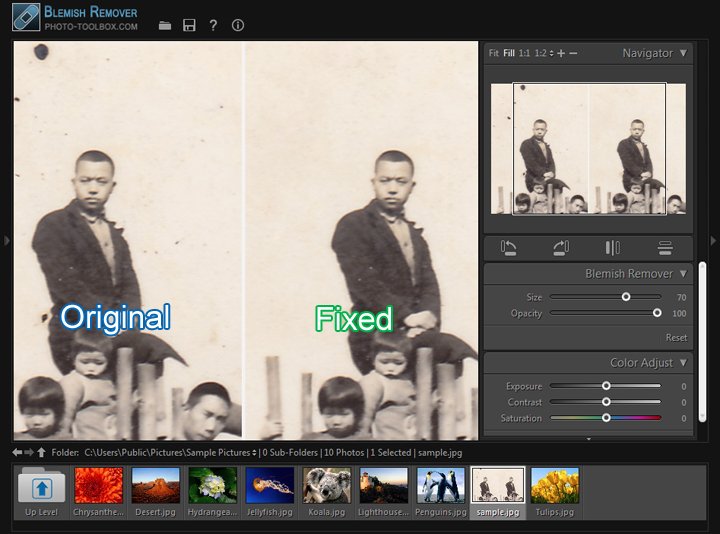
The Blemish Remover quickly removes blemishes and other imperfections in your photos. It's usually used to fix point-like stains, blemishes and acnes on skin/face. If you need more retouching features to make the portraits perfect, you may want to try the easy portrait enhancing software – PT PORTRAIT. |
Example
Screenshot
Instructions
|
The Blemish Remover lets you remove a selected spot of a photo with a sample from another area. When removing spots, you use two connected circles: the target circle indicates which area to change, and the sample circle determines which area of the photo is used to heal the spot. 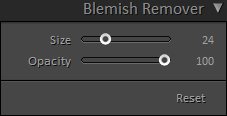
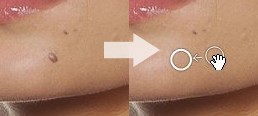
Remove Acne, Pimples, Blemishes from Photos with Blemish Remover. |
Download
Copyright©Chengzhu Li, 2009-2024. All rights reserved.
Photoshop&Lightroom are trademarks of Adobe Systems Inc.
Photoshop&Lightroom are trademarks of Adobe Systems Inc.